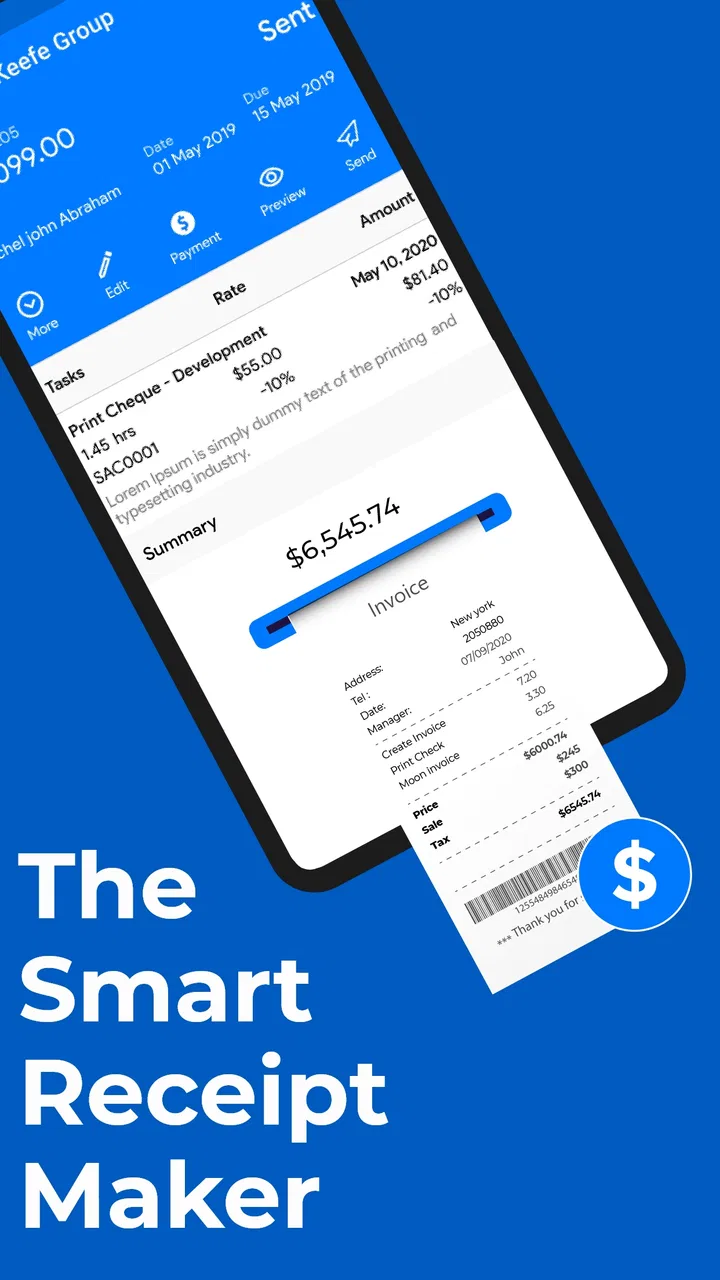
Estimate Invoice Maker By Moon
- 4.3
- Rating
- 100.00K
- Installs
- Free
- Price

 Analysis by App-foxy
I usually judge an invoicing app by a simple question: does it help me send a clear bill before the paperwork becomes a second job? Estimate Invoice Maker By Moon is aimed at that everyday business problem. It is a free business app from Moon Technolabs Pvt. Ltd. for creating estimates, invoices, and receipts on a phone. After spending time with it, I see it as a practical option for freelancers, independent tradespeople, small shops, and anyone who needs a straightforward way to turn a sale or service into a document.
The app is not trying to replace a full accounting department. Its appeal is being close at hand when I need to prepare an invoice quickly. That distinction matters. If you want a mobile invoicing tool rather than a complete finance platform, this app deserves a serious look. If you need deep bookkeeping, complex inventory, or a carefully controlled multi-user workflow, I would compare it with a more specialized alternative before moving all of my records.
What I would look for before choosing an invoicing app
My first decision criterion is speed. A good invoice maker should let me move from customer details to a usable document without forcing me through accounting terminology. Estimate Invoice Maker is built around that direct workflow, which makes sense for a person who is working from a job site, a market stall, a home office, or a client meeting. The store summary presents it as an invoice and receipt maker, and that description matches its practical purpose rather than suggesting a wider financial system.
You May Also Like

 Blood Strike: 2.5 Anniversary
Blood Strike’s Loadouts Turn Every Drop Into a Tactical Gamble
A close look at Blood Strike’s custom loadouts: how fast access to signature weapons reshapes its battle royale rhythm, rewards preparation, and narrows the gap between fights.

 Pandora - Music & Podcasts
Pandora’s Music Is Easy to Start, but Harder to Recover
Pandora’s strength is its low-effort path from a seed to a station. Its weak spot is how much confidence it asks you to place in connection, setup, and quiet recovery.

 8 Ball Pool
8 Ball Pool Is Built on Rivalries, Rematches, and Routine
A close look at the rivalries, rematches, shared routines, and unanswered safety questions that turn a quick pool match into a persistent mobile community.

 Samsung Music
Samsung Music’s Quiet Strength Is Playing What You Already Own
Its reach comes less from spectacle than from dependable access to a personal library. That simplicity is both the app’s strongest retention engine and its ceiling.

 AccuWeather: Weather Radar
AccuWeather Review: A Quick, Clear Forecast for Everyday Decisions
For everyday plans, the best forecast is the one you can understand quickly. AccuWeather makes rain timing, radar, and local conditions easy to act on, with a few trade-offs.

 Hill Climb Racing
Why Hill Climb Racing Still Turns Crashes Into One More Run
A tiny car, a bumpy hill and one more upgrade: Hill Climb Racing keeps resurfacing because its simple chaos makes every near-miss feel personal.
More From Our News Desk



The second criterion is flexibility in the moment. An estimate is useful before a customer agrees to work, while an invoice belongs after the price and service are settled. A receipt closes the loop. Keeping those stages in one mobile app can reduce the temptation to draft an estimate in one place, copy it into a document editor, and then recreate the same information as an invoice later. That repeated typing is where small but expensive mistakes often appear.
I also pay attention to the kind of user an app is designed for. This is a general business tool, not a specialist application for one trade. That can be a strength because a cleaner, broader workflow suits consultants, repair workers, tutors, designers, photographers, and small retailers alike. It can also mean that a user with unusual tax rules, detailed stock control, or industry-specific forms may eventually need something more tailored.
Another practical question is whether I can start without a large commitment. The app is free to install and is rated for Everyone, so it is approachable for a small operator who simply wants to test a mobile invoicing routine. There are in-app purchases ranging from $0.99 to $599.99 per item, so I would review any paid option carefully before treating the app as a long-term business system. The free entry point is useful, but “free to start” should not be confused with every possible capability being free.
The app has been available since Aug 13, 2015, and its current version is 8.16.2. It runs on Android 8.0 or later. That combination tells me it is not a brand-new experiment, and users with an older supported Android phone may still be able to use it. At the same time, anyone managing a business on an aging device should check that the phone remains comfortable for document creation, keyboard entry, and file handling rather than judging compatibility by the operating system alone.
The everyday workflow I found most useful
Imagine I repair household appliances and finish a small job at a customer’s home. I can use the estimate stage before beginning when the final cost is not yet agreed. Once the work is complete, I can prepare an invoice from the same basic customer and service information instead of starting from a blank page. When payment arrives, a receipt gives the customer a clearer record than a casual message saying “paid.” That sequence is more valuable than any single document because it creates a habit I can repeat for every job.
For a freelancer, the same pattern works differently. I might estimate a design project, convert the agreed amount into an invoice after delivery, and issue a receipt when the client settles the bill. For a small seller, the emphasis may be on producing a receipt immediately after a transaction. In each case, the app’s value comes from keeping the paperwork close to the sale, not from replacing the rest of the business process.
One tip I would give a new user is to settle on a naming routine before creating many documents. Use a consistent customer name and service description every time. Mobile forms make it easy to type “AC repair,” “air conditioner repair,” and “AC service” as if they were different things. Consistency makes later searching, checking, and copying much less confusing, even when the app itself is simple.
Where the app wins against familiar alternatives
Compared with writing invoices in a word processor, a dedicated invoice maker gives the task a clearer purpose. A document editor is flexible, but that flexibility can become friction: I have to remember the layout, place totals correctly, and keep old copies organized. Estimate Invoice Maker is more focused. Its business identity helps me think in terms of customer, service, amount, estimate, invoice, and receipt rather than designing a page from scratch each time.
Compared with a spreadsheet, the app can be more comfortable for a person who does not want to build formulas or maintain a template. Spreadsheets are excellent when I need analysis, custom calculations, or a long list of transactions. They are less inviting when I am standing beside a customer and simply need a presentable document. The mobile-first approach is the stronger choice for quick issuance, while the spreadsheet remains better for people who want to inspect and manipulate their numbers in detail.
Compared with a full accounting package, this app is likely to feel lighter. That is not automatically a weakness. A sole trader who only needs estimates, invoices, and receipts may prefer fewer menus and less setup. The trade-off is that a lightweight invoicing workflow should not be mistaken for complete financial management. I would still keep a separate, reliable process for expense records, tax preparation, bank reconciliation, and document backup where those responsibilities apply.
Its public reception is encouraging without being a reason to stop evaluating it. The app has a 4.3 average from around 865 ratings, with more than 131 written reviews and over 100K installs. I read those figures as evidence that it has found a real audience, not proof that every business will find it perfect. Invoicing needs vary sharply between a solo contractor and a company with several staff members, so personal fit matters more than popularity alone.
The biggest practical win is reducing the gap between doing the work and documenting the work. When paperwork is delayed until the end of the week, details get forgotten and unpaid invoices become harder to track. A phone-based tool makes it easier to create the document while the customer, service, and agreed amount are still fresh in my mind.
Small workflows that make a noticeable difference
A useful approach is to separate estimates from invoices mentally, even when both are created in the same app. An estimate is a conversation tool: it should help the customer understand what I intend to provide and what it may cost. An invoice is a request for payment after the terms are settled. Treating them as interchangeable can create awkward disputes, especially when the final work changes. I would review every estimate before turning it into a bill and adjust the description so it reflects what was actually delivered.
Another good habit is to prepare customer information before a busy day. Entering details while rushing between appointments increases the chance of spelling errors or incomplete records. If I have regular customers, I would keep their names and contact information consistent, then concentrate on the service and amount for each new document. This is a simple workflow improvement, but it makes a basic app feel considerably more dependable.
I would also use the receipt stage as a customer-service moment rather than an afterthought. A receipt can confirm what was paid and when the transaction was completed. For a small business, that clarity can prevent follow-up messages and make the customer feel that the transaction was handled professionally. The app is most useful when I treat each document as part of a sequence, not as an isolated piece of text.
There is a further trade-off around customization. A mobile invoice app needs enough structure to keep documents consistent, but too much structure slows down occasional users. If I need a highly branded design, multiple legal entities, elaborate line-item rules, or special regional tax presentation, I would test the output carefully before relying on it. A document that looks fine for a simple service may not satisfy every formal requirement in a more regulated or complex business.
Where a different category may fit better
I would look beyond this app if my main need is accounting rather than invoicing. A full accounting service is a better fit when invoices must connect directly to expenses, bank activity, tax reports, payroll, or financial statements. That kind of system usually takes longer to learn, but the extra structure can justify the effort once a business has enough transactions to make manual tracking risky.
I would also compare alternatives if several employees need to create documents from a shared customer database. A solo user can make decisions quickly on one phone. A team may need permissions, approval steps, common templates, and a central record that everyone can see. Those requirements change the decision from “can I make an invoice?” to “can my organization control the invoicing process?” Estimate Invoice Maker is more appealing when the workflow is personal or small-scale.
Businesses with substantial inventory should be cautious too. Invoicing a service is different from managing stock across purchases, warehouses, returns, and product variations. A retail-focused system may be better when the invoice must reflect live inventory and automatically update quantities. I would not choose a simple invoice maker as the foundation of a stock-heavy operation unless the rest of that operation is already handled elsewhere.
There is also the question of platform preference. This review concerns the Android experience, which requires Android 8.0 or later. If my team works across Android, iOS, desktop computers, and web browsers, I would prioritize an alternative with a clearly unified workflow across those environments. Switching between devices can matter more than a clean invoice screen when documents must be created by different people in different places.
What switching really costs
Moving from paper or a word processor to a dedicated app is not difficult technically, but it does change habits. I would need to decide where customer details live, how I name services, how I check unpaid work, and where I keep copies of completed documents. The app can make creation easier, but it cannot decide a business’s record-keeping policy for me. Before adopting it, I would create a small routine for reviewing outstanding work and preserving important documents.
Moving from a spreadsheet can be more complicated because spreadsheets often contain years of informal history. I would not try to recreate every old transaction immediately. Instead, I would begin with active customers and new work, then retain older records in their original form until there is a clear reason to migrate them. This staged approach lowers the risk of losing context while allowing the new workflow to prove itself.
Paid options deserve the same careful approach. Since individual in-app purchases can be as low as $0.99 and as high as $599.99, I would not unlock anything simply because it appears during setup. I would first identify the exact problem the purchase solves, test the free workflow, and compare the total cost with an alternative that includes the needed capability from the beginning. For a business, the cost of confusion or duplicate records can be greater than the purchase itself.
Before making the app part of my daily process, I would run a small trial with several different cases: a simple service, an estimate that changes before billing, a customer who pays immediately, and a customer who pays later. I would inspect each resulting document, check that the wording is accurate, and confirm that I can find the records again. This test is more revealing than creating one perfect sample invoice.
My recommendation for different kinds of users
I recommend Estimate Invoice Maker to a solo professional who wants a focused mobile tool for estimates, invoices, and receipts without starting with a large accounting system. It is especially sensible for service providers who work away from a desk and need to document a job while the details are still fresh. The free starting point makes it reasonable to try, and the app’s long presence in the business category gives it more credibility than an untested newcomer.
I would recommend it with qualifications to a small business that is growing but still has one person responsible for billing. In that situation, the app can improve consistency and reduce dependence on improvised documents. I would establish a backup and record-keeping routine from the first day, and I would check paid features against actual needs rather than assuming the most expensive option is necessary.
I would skip it as my primary system if I need integrated bookkeeping, advanced inventory, extensive team controls, or a formal cross-device business platform. In those cases, a full accounting product or an industry-specific system may cost more time and money initially, but it can prevent a disruptive switch later. Estimate Invoice Maker can still be useful for quick field estimates, yet it should not be forced into a role it was not designed to fill.
The Everyone age rating also makes the app approachable in mixed personal and work environments, although the real decision is still about business complexity. A simple rating does not guarantee that every document meets every local commercial requirement. I would verify the wording and totals of any invoice that has legal, tax, or contractual importance before sending it to a customer.
My final view is positive because the app understands a real small-business pain point: paperwork needs to happen at the moment business happens. It offers a practical middle ground between manually designed documents and a heavyweight accounting suite. Choose it when fast, mobile document creation is the priority; choose something else when financial control, inventory, or collaboration is the priority. For my own recommendation, I would try the free version with real but low-risk work, build a consistent naming and storage routine, and only then decide whether its paid options or a more advanced alternative make better sense.
FAQs for Estimate Invoice Maker By Moon
01What is Estimate Invoice Maker by Moon used for?
Estimate Invoice Maker by Moon is designed to help freelancers, contractors, small businesses, and independent service providers create professional estimates and invoices from a mobile device. You can typically prepare documents with customer details, services or products, quantities, prices, taxes, discounts, notes, and payment information, making it easier to organize billing without relying on complicated accounting software.
02Can I create both estimates and invoices with the app?
Yes, the app is intended to support both estimates and invoices, allowing you to prepare a price proposal before work begins and issue a bill afterward. This can be useful for tracking the full customer workflow. Before downloading, check the current feature list because available templates, conversion options, document limits, and advanced tools may depend on the app version or subscription plan.
03Can invoices and estimates be customized with my business information?
Estimate Invoice Maker by Moon generally allows users to add important business and customer information, such as a company name, logo, address, phone number, email, tax details, and payment terms. You may also be able to adjust line items, taxes, discounts, notes, and document appearance. The exact customization choices can vary, so users needing highly branded templates should review the latest listing details.
04Can I send or share the documents with customers?
The app is built for creating invoices and estimates that can be shared digitally, commonly through options such as PDF export, email, messaging applications, or other sharing tools available on the device. This makes it practical for sending documents immediately after a job or quotation request. However, sharing methods and export capabilities may differ between Android and iOS versions or between free and paid features.
05Is Estimate Invoice Maker by Moon suitable for professional accounting and tax management?
The application can be helpful for preparing straightforward estimates and invoices, but it should not automatically be considered a complete accounting system. Businesses with complex tax rules, inventory, payroll, expense tracking, recurring billing, or formal bookkeeping requirements may need dedicated accounting software as well. Always verify calculations and maintain appropriate records, particularly when invoices must meet local legal or tax requirements.
Pros
- Creates professional estimates and invoices quickly on mobile.
- Useful templates help maintain a consistent business appearance.
- Tracks invoice status and payment details in one place.
- Suitable for freelancers and small businesses with simple billing needs.
- Reduces manual calculations with automatic totals and tax fields.
Cons
- Advanced accounting and inventory tools may be limited.
- Some useful features may require a paid subscription.
- Customization options can feel restrictive for complex invoices.
- Cloud syncing and backups may depend on account settings.
- Not ideal for businesses needing multi-user workflow controls.

Estimate Invoice Maker By Moon
Gallery